

Squarespace seo: how to rank a squarespace site in google (and when wordPress wins)
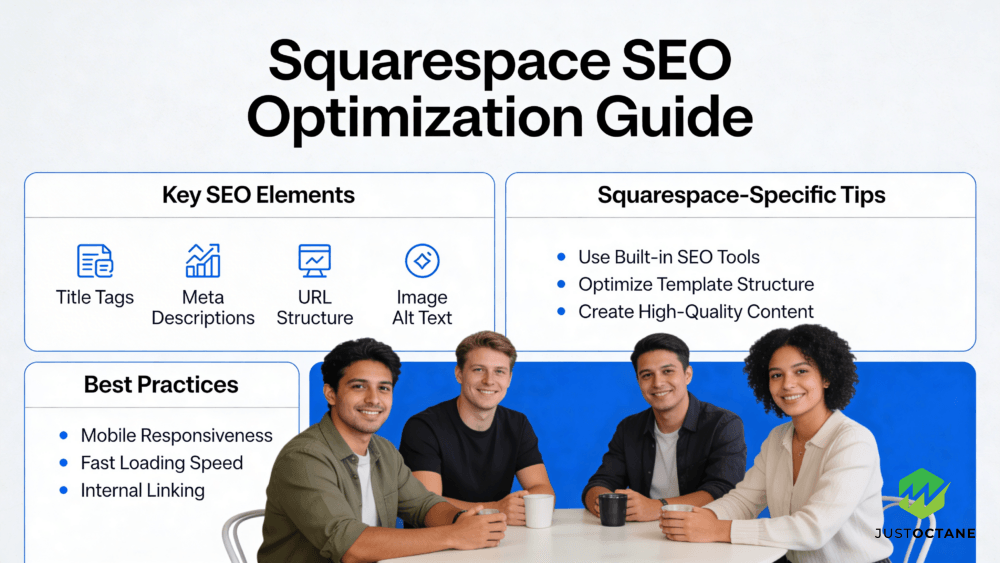
If you’re an average business owner, “Is Squarespace bad for SEO?” is really a business question: will this website bring in qualified traffic and leads? The practical answer is that Squarespace is not inherently bad. You can do strong search engine optimization on a Squarespace website—yet there are real technical SEO constraints that can matter as your site grows.
This guide distills what top competing articles agree on, then adds steps they often skip (measurement, lead tracking, and a safe migration plan). If you want a team to execute, JustOctane provides SEO services Squarespace owners use to turn traffic into revenue.
Contents
- 1 Is Squarespace bad for SEO?
- 2 How Google evaluates a page (and why platform is only one factor)
- 3 Squarespace SEO features you can rely on (and the limitations to plan around)
- 4 Technical SEO on Squarespace: what matters most
- 5 On-page SEO: meta description, headings, and keywords that match intent
- 6 Speed and mobile: what “fast enough” really means
- 7 Content, backlinks, and authority: what actually moves rankings
- 8 Squarespace vs WordPress: when the “best website” choice changes
- 9 Measurement that competitors usually skip: turn traffic into leads
- 10 Advanced Squarespace SEO: schema, ecommerce, and safe migrations
- 11 Want JustOctane to optimize your Squarespace site?
- 12 5 Research‑Backed Squarespace FAQs
- 12.1 1. How does Squarespace perform on Core Web Vitals and page‑speed metrics?
- 12.2 2. Can I add structured data and advanced SEO markup on Squarespace?
- 12.3 3. Is Squarespace more secure than a self‑hosted CMS?
- 12.4 4. How portable is content if I want to migrate off Squarespace?
- 12.5 5. Can Squarespace scale for e‑commerce and high transaction volumes?
Is Squarespace bad for SEO?
Squarespace SEO is typically good enough for many small business websites—especially when your content matches search intent, your page loads fast on mobile, and your on-page meta and heading structure is clear. The problems show up when you need deeper control (advanced plugins, custom crawling rules, or highly customized schema markup) and the platform’s guardrails slow your optimization workflow.
Bottom line: you can rank Google with Squarespace, but it may take more manual work than SEO WordPress setups that lean on mature SEO plugins.
How Google evaluates a page (and why platform is only one factor)
At a high level, Google and other search engines crawl websites, store pages, and then order search results by relevance and usefulness. A foundational reference is the Stanford paper “The Anatomy of a Large-Scale Hypertextual Web Search Engine”.
Modern Google search engines still reward pages that make it easy for Google to understand the topic and intent. Platform choice matters less than execution: content quality, internal linking, and high-quality backlinks tend to be what separates winners from “good-looking but invisible” sites.
Google also evaluates your site from a mobile perspective. Google’s documentation “Mobile-first indexing” explains what to check so your site Google search presence—and your visibility search results—are not held back by the mobile version.
Squarespace SEO features you can rely on (and the limitations to plan around)
Squarespace templates are designed for non-technical users, and many SEO features are built in. Most Squarespace sites include SSL security, automatic sitemaps, and responsive layouts, which gives you a decent starting point for technical SEO.
For many service businesses, Squarespace is SEO friendly out of the box—meaning you can publish pages, optimize site metadata, and compete in search results without installing extra plugins.
Within page settings and SEO settings, you can edit basics like titles meta descriptions, a meta description for each page, and descriptive URLs. You can also add alt text images, which helps accessibility and can support image search.
The trade-off: when we’ve compared WordPress users to Squarespace users, SEO expectations should be different. Squarespace users SEO goals are absolutely achievable, but you have less freedom to add custom plugins, modify server configurations, or run advanced automation.
The goal is simple: improve Squarespace search engine visibility with better structure, better content, and faster pages.
Technical SEO on Squarespace: what matters most
Think of technical SEO as “can search engines crawl, understand, and trust this website?” In practice, the biggest wins on a Squarespace site usually come from:
- Clean information architecture (pages organized by topic, not just design).
- Strong on-page signals (h1 h2 h3 used correctly; one primary heading per page).
- Indexing basics (XML sitemap submitted, broken pages fixed, and thin pages improved).
- Speed improvements (page speed score and real-world loading times on mobile).
- Structured data where it counts (schema markup for your business, services, or products).
Squarespace doesn’t have the same plug-and-play ecosystem as SEO WordPress, where Yoast and other SEO plugins can streamline audits. But you can still use SEO tools like Google Search Console and third-party crawlers to identify technical issues, then implement fixes inside Squarespace.
If you’re troubleshooting, think “site search engine first”: remove crawl traps, fix broken internal links, and make sure your important pages can be discovered and indexed.
On-page SEO: meta description, headings, and keywords that match intent
On-page optimization is where Squarespace can be surprisingly strong. You can write SEO titles meta and meta descriptions titles that accurately describe a page and encourage clicks from search results. Your goal is not keyword stuffing—it’s clarity: the title, description, and heading should match the query and the content.
A simple workflow for page SEO is to start with keywords that reflect your audience’s problem, create one page per core service, then support it with related pages and blog content. This content marketing strategy helps Google understand topical depth, and it helps users move through your site with purposeful internal links.
Don’t skip image optimization. Use descriptive filenames, compress images, and add alt text so your images have context. The phrase “alt text images” is a reminder: the alt text should describe what’s in the image, not just repeat keywords.
Speed and mobile: what “fast enough” really means
Slow sites lose leads—even when the content is great. Page speed is not only a ranking factor; it’s a conversion factor. Many competitor studies reference a page speed score; the actionable part is reducing heavy scripts, compressing images, and simplifying design elements that add weight.
On Squarespace, you’ll often improve speed by choosing lighter templates, limiting third-party embeds, and keeping your home page focused. Track your page speed score, and review analytics to find pages with slow page loading that hurts conversions.
Ranking is not just technical. The websites that consistently rank Google search terms have content that answers the query better than alternatives. Publish high-quality pages that solve a specific problem, then earn links naturally through partnerships, PR, and useful resources.
Backlinks still matter, but not all links are equal. Aim for high quality backlinks from relevant websites in your niche; these act as credibility signals for search engines and support stronger search engine rankings.
For most local and service businesses, your best “link strategy” is visibility: get featured where your clients already look (local publications, industry directories, and partner sites).
Squarespace vs WordPress: when the “best website” choice changes
Squarespace can be the Squarespace best website option when you need speed of launch, great design, and solid built-in SEO features without ongoing developer support. WordPress tends to win when you need deeper customization, advanced technical control, or specialized plugins for scaling content and conversions.
If you’re debating WordPress Squarespace trade-offs, focus on your constraints. Squarespace is great for a streamlined marketing site; WordPress is often better for complex content operations, advanced schema markup, or large ecommerce catalogs.
Measurement that competitors usually skip: turn traffic into leads
Getting results Squarespace owners can measure requires more than rankings. Set up Google Search Console (and verify your Squarespace site Google Search Console property), connect analytics, and track conversions (forms, calls, bookings, or purchases). This is how you prove whether SEO is producing business outcomes—not just vanity traffic.
One practical method we use at JustOctane is mapping: for each high-intent query, we map the target page, the conversion action, and the supporting content. That makes it obvious which pages to optimize, which keywords to expand, and where internal links will lift performance.
This is also how we prioritize SEO Squarespace websites work: we measure first, then improve the pages that matter.
Advanced Squarespace SEO: schema, ecommerce, and safe migrations
If you hit a ceiling, it’s often because the next improvements are “advanced” rather than “basic.”
Schema markup: You can add schema markup via code injection to clarify your organization, services, FAQs, and products. Used well, structured data helps Google understand your entities and can enhance how your pages look in Google search results.
Ecommerce SEO: Squarespace ecommerce can rank, but you need category pages, unique product descriptions, and clean internal linking.
Migration planning: If you decide Squarespace SEO WordPress is the right move, plan redirects, preserve URLs where possible, and validate indexing in Google Search Console after launch.
This is where a SEO plugin Squarespace workflow can help: even if you’re not using a dedicated Squarespace SEO plugin, you can still use external audit tools to monitor technical issues and confirm fixes.
Want JustOctane to optimize your Squarespace site?
If your Squarespace websites generate leads inconsistently—or you’re not showing up in search results for the keywords that matter—JustOctane can help. We combine technical SEO, content strategy, and high-quality link acquisition into a practical plan that fits Squarespace’s features and limitations.
Whether you’re staying on Squarespace or moving to WordPress, our SEO services Squarespace and WordPress clients use are built around measurable outcomes: more qualified traffic, better conversion rates, and predictable growth.
5 Research‑Backed Squarespace FAQs
1. How does Squarespace perform on Core Web Vitals and page‑speed metrics?
Squarespace templates are responsive and the platform serves assets via a CDN and built‑in image processing, which helps baseline performance. However, Core Web Vitals (LCP, CLS, INP) measure real user experience and are influenced by content choices (large images, third‑party scripts, complex page structure). Large‑scale measurements (e.g., HTTP Archive / Core Web Vitals reports) show that many sites across all builders fail one or more Core Web Vitals unless pages are actively optimized. In short: Squarespace gives useful defaults, but passing modern CWV thresholds usually requires on‑page optimizations (compress/resize images, defer nonessential scripts, reduce layout shifts).
2. Can I add structured data and advanced SEO markup on Squarespace?
Yes. Squarespace supports standard SEO fields (title, meta description, canonical tags, sitemaps) and allows injection of custom markup (JSON‑LD/schema) at the site or page level via its code‑injection features or developer templates. That means you can implement structured data required for rich results, but you should validate markup using Google’s Structured Data testing and follow Google’s guidelines to avoid errors.
3. Is Squarespace more secure than a self‑hosted CMS?
Managed cms builders like Squarespace reduce several common security burdens: platform patching, SSL, basic DDoS/CDN protections, and centralized hosting operations are handled by the provider. Industry breach analyses (e.g., Verizon DBIR) and OWASP guidance show many incidents stem from unpatched software, poor configuration, or weak credentials—risks that a managed platform helps mitigate. That said, no platform is immune: site owners still need strong passwords, two‑factor authentication, careful use of third‑party code, and secure payment processors for e‑commerce.
4. How portable is content if I want to migrate off Squarespace?
Squarespace provides export tools (commonly an XML export usable by WordPress) but exports are partial: blog posts and basic pages typically export, while styles, many page types, products, customer records and some custom blocks often do not. Empirical experience and Squarespace documentation indicate migrations require manual work or migration tools. From a data‑portability and risk perspective, plan migrations early and export backups regularly—especially for e‑commerce data. Note also that legal frameworks (e.g., GDPR Article 20) give individuals a right to data portability in certain contexts.
5. Can Squarespace scale for e‑commerce and high transaction volumes?
Squarespace Commerce supports stores, inventory, payment integrations (Stripe, PayPal) and basic order/fulfillment workflows and relies on PCI‑compliant payment processors. For small to medium‑sized stores this is usually sufficient. For very large catalogs, complex multi‑channel inventory, enterprise performance SLAs, or very high transaction volume, specialized platforms (Shopify Plus, BigCommerce Enterprise, or custom solutions) are commonly chosen because they offer dedicated scalability, advanced APIs, and enterprise commerce features. Evaluate projected traffic, order volume, third‑party integrations, and compliance needs before committing.