

H1 Tag SEO Best Practices: Title Tags, Heading Hierarchy, and Audit Steps
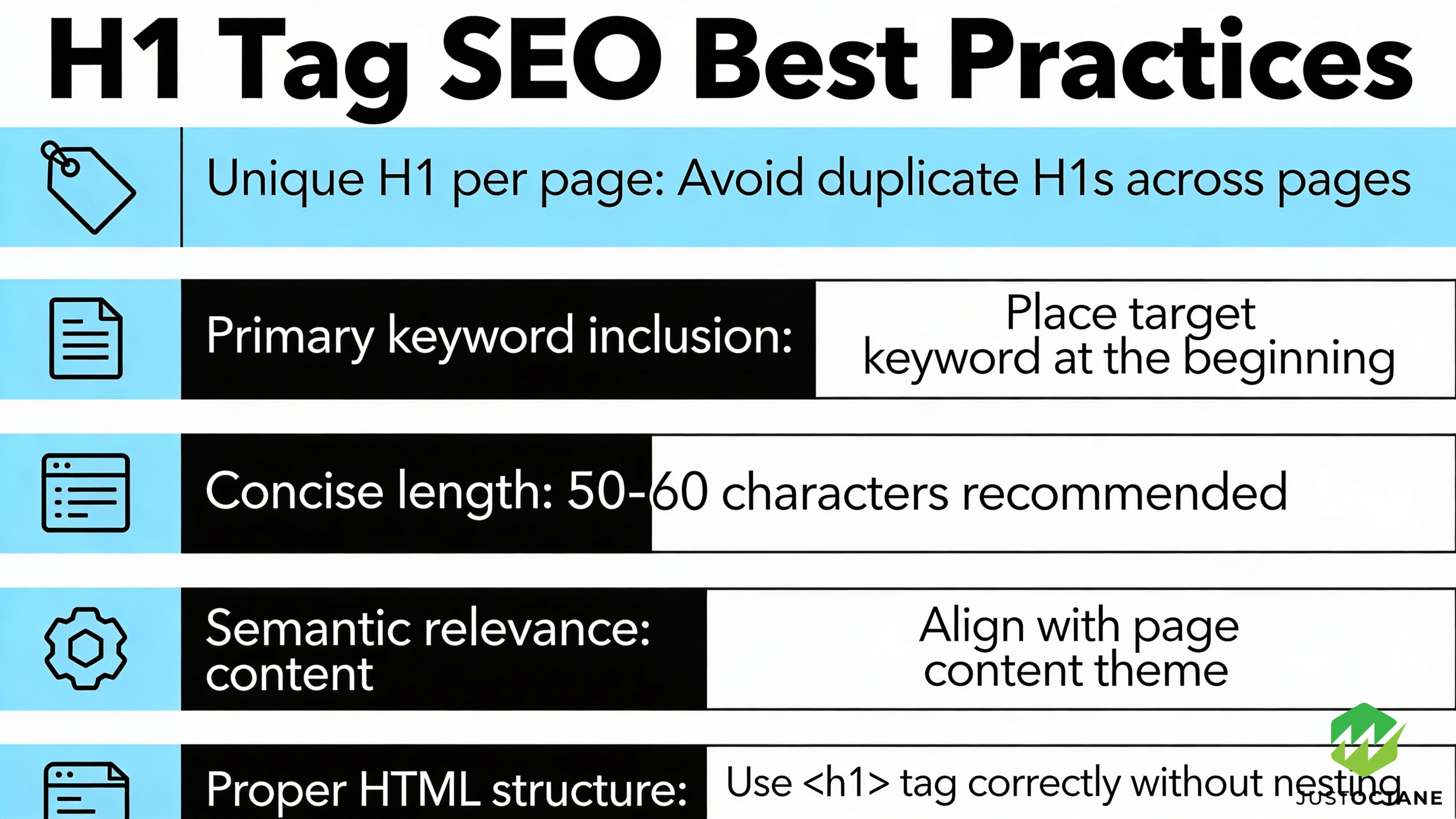
An h1 is a simple html heading, but it strongly influences how users read a page (and it’s an important cue for search engines) and how search engines like google understand your main topic. These seo best practices can improve seo performance, protect search rankings, and keep your page aligned with search intent from the first click. Below is a practical guide to h1 tags, title tag alignment, and heading structure. If you want hands-on help auditing and fixing this across your website pages, JustOctane (an SEO company) can map the issues to clear priorities and measurable results.
Contents
- 1 What an h1 tag is (and what it isn’t)
- 2 Title tag vs. h1: how they work together
- 3 Heading hierarchy: h1, h2, h3, and deeper sections
- 4 Optimized h1 writing: best practices that still sound human
- 5 Multiple h1s, templates, and “hidden” heading problems
- 6 How to check your h1 quickly (manual and crawl-based)
- 7 Advanced implementation: JavaScript apps, design systems, and multilingual sites
- 8 How to measure whether your heading changes worked
- 9 Need an h1 audit that’s tied to revenue?
- 10 5 New research-backed Questions & Answers
- 10.1 How do headings (H1–H6) affect accessibility for screen-reader users?
- 10.2 Does maintaining a logical heading hierarchy matter for SEO and accessibility?
- 10.3 Can using clear headings increase the chance of getting a featured snippet or other search result features?
- 10.4 Will keyword-stuffing an H1 tag trigger a penalty or hurt rankings?
- 10.5 Do headings improve user comprehension and content scanning?
What an h1 tag is (and what it isn’t)
An h1 tag is the primary heading element in html. It should describe the page content in plain text so a user can immediately understand page intent. On an h1 tag page template, the goal is simple: make the heading match the page main topic, not just a design slogan in the header.
Here’s a quick example of h1 tag html syntax:
<h1>Example H1 heading</h1>Your page h1 tag can be styled any way you like, but it should remain a true heading. In heading tags h1 sits at the top of the hierarchy, and it works best when the page h1 is supported by h2 tags and h3 tags underneath (and h4 tags only when you truly need more depth).
Title tag vs. h1: how they work together
Your title tag often shows in search results (i.e., the search engine results page), while your on-page h1 is what visitors see after the click. They can be similar, but they don’t need to be identical. The cleanest approach is alignment: keep the same topic and intent, then use each element for its job. In practice, “title tag h1” consistency is what helps engines connect the listing to the content page.
Google sometimes rewrites title tags, so the safest play is to keep signals consistent across headings and page content. A clear, descriptive h1 and supporting headings help engines understand page meaning without relying on one field alone, and it helps search engines confirm the page matches the query.
Heading hierarchy: h1, h2, h3, and deeper sections
Use heading tags to communicate structure, not just to make text big. Think in levels: h1 h2 h3 for main sections, h2 h3 h4 when you need another layer, and reserve h4 h5 h6 for documentation-style depth. This keeps headings scannable, supports accessibility, and helps screen readers navigate long pages. Good headings serve users search engines and accessibility tools at the same time, and search engines users benefit when the structure stays consistent.
A practical rule is to make sure each h2 introduces a distinct section and each h3 expands the h2. If you find yourself writing h2 h3 tags that repeat the same keyword, it’s a sign the hierarchy needs cleanup.
The W3C Web Accessibility Initiative explains how headings support navigation.
Optimized h1 writing: best practices that still sound human
An optimized h1 tag should do three jobs at once: summarize the main topic, confirm intent, and guide readers into the content. When done well, it enhances user experience and can also enhance user experience for search by reducing confusion and encouraging deeper engagement.
- Use one descriptive h1 per page to keep the topic clear (even though multiple h1s can sometimes still rank).
- Use keywords naturally: place the primary keyword early if it reads well, and use related keywords in h2 tags and body text.
- Match the h1 with the title tag and opening paragraph so the tag helps set expectations.
- Write for users first: clear wording beats cleverness on service pages, product pages, and guides.
- Support the h1 with headings that answer the next questions a user will have.
Under the hood, tags help engines interpret relevance because headings tend to summarize the section that follows. Consistency also sends signals search engines use to classify the topic, and it helps search engines identify what each section is truly about. This “h1 tag helps” pattern is why well-written headings help engines understand page sections, and why engines understand structure faster when headings and body text agree. When search engines understand your structure, they can surface your pages for more relevant searches.
If you want a simple benchmark: for h1 tag best outcomes, write a descriptive h1 that a reader can understand in one glance, even if they only scan the header. Clear headings also help search engines understand the intent behind the keyword.
Many heading issues come from templates, not copy. A website may have a blog post template, a category template, and a tag page template, each generating headings differently. You can end up with a logo as one h1, the article title as another, and a third h1 inside a shared component.
Because html is flexible, google can often parse pages with multiple h1s. But for users and accessibility, it’s still best to keep one clear, visible h1 tied to the main content, then use h2 h3 for subsections. In other words, tags h1 h2 should reflect the real hierarchy, not whatever looks biggest in the design.
If you manage large sites, define rules per template: what the page h1 should be, which header tags are allowed in navigation, and when h4 tags are appropriate inside widgets.
How to check your h1 quickly (manual and crawl-based)
You can spot-check a page h1 tag in seconds. In Chrome, right-click and view page source, then search for “h1” to find the tag h1 instance and confirm it matches the visible heading. This also reveals cases where the “heading” is only styled text, not a real heading tag page element.
For a real audit, crawl your site using a spider and export a report with URL, title, h1, and counts for headings (h2, h3, h4). Then look for patterns: missing h1 tags, duplicate h1 tags, or pages where title tags and h1s fight each other. This kind of page source review helps engines and users because it forces the structure to be consistent and the content clearly segmented.
When you review the crawl, prioritize fixes that help engines understand: pages with mismatched intent, thin page content, and repeated headings across many pages. Those are often the fastest wins.
Advanced implementation: JavaScript apps, design systems, and multilingual sites
Modern builds introduce new failure modes. In JavaScript frameworks (like React or Next.js), a shared component can accidentally inject an extra h1 into every page. In headless CMS workflows, editors may paste headings that break the h2 h3 ladder. And on multilingual pages, direct translations can produce headings that miss local intent.
The fix is governance: define one source of truth for the page h1 tag per template, lint for heading tags, and QA the rendered output (not just the CMS field). If you use ai to draft headings, treat it as a starting point and review every heading for accuracy and intent. When your hierarchy is predictable, it’s easier to expand content, keep keywords aligned across languages, and improve user experience in new markets.
How to measure whether your heading changes worked
After you update title tags, h1s, and headings, measure impact instead of guessing. In google Search Console, compare queries and pages before vs. after changes. Look for improved clicks, higher average position, and better alignment between the query intent and the landing page content.
If you’re updating high-traffic pages, consider testing two h1 versions over time (or by page type) and watching conversion and engagement changes. The point is to tie wording to outcomes, not just to follow best practices.
Need an h1 audit that’s tied to revenue?
JustOctane combines technical audits and on-page SEO to fix the issues that quietly hold rankings back: inconsistent title tags, weak h1s, messy heading hierarchy, and templates that generate duplicate header tags. If you want a prioritized plan for the pages that matter most, we’ll make sure every page h1 supports the main topic, helps search engines, and gives users a clear next step.
5 New research-backed Questions & Answers
How do headings (H1–H6) affect accessibility for screen-reader users?
Headings provide the semantic structure that assistive technologies (like screen readers) use to let users navigate a page quickly (jump between sections, build a page outline, etc.). Proper, nested headings make content discoverable and reduce navigation time for people using assistive tech. For guidance and requirements see the W3C page on headings and the WebAIM summary of semantic structure.
Does maintaining a logical heading hierarchy matter for SEO and accessibility?
Accessibility: Yes — follow a logical order (H1 → H2 → H3, etc.) so assistive tools present a correct outline. SEO: headings help search engines understand page structure and topical sections, but search engines do not require strict numeric continuity and will still index content if levels are skipped. In short: keep a logical hierarchy primarily for usability/accessibility; that also helps search engines interpret your content.
Can using clear headings increase the chance of getting a featured snippet or other search result features?
Yes—clear headings and well-structured sections make it easier for search engines to find concise answers or specific sections to show as snippets. Multiple industry analyses have found a correlation between structured content (including descriptive headings) and higher odds of appearing in featured snippets or as section links. Correlation does not guarantee causation, but structuring content with headings improves both machine readability and the likelihood that a precise excerpt can be extracted for rich results.
Will keyword-stuffing an H1 tag trigger a penalty or hurt rankings?
Keyword stuffing anywhere on the page (including the H1) is against Google’s spam/quality guidelines and can harm rankings because it reduces page quality and user experience. There is no separate “H1 penalty,” but obvious keyword-stuffing is treated as a spammy signal and can lead to ranking demotion by algorithms or manual action in extreme cases. Use concise, user-focused headings instead.
Do headings improve user comprehension and content scanning?
Yes. Usability research shows that headings enable faster scanning and better comprehension: users locate relevant information more quickly when content is chunked with descriptive headings. Nielsen Norman Group and other usability studies demonstrate that good headings reduce time-to-find and improve retention.