

7 Best CMS for SEO and Website Rankings: WordPress, HubSpot, Drupal, Wix, Headless Platforms, and More
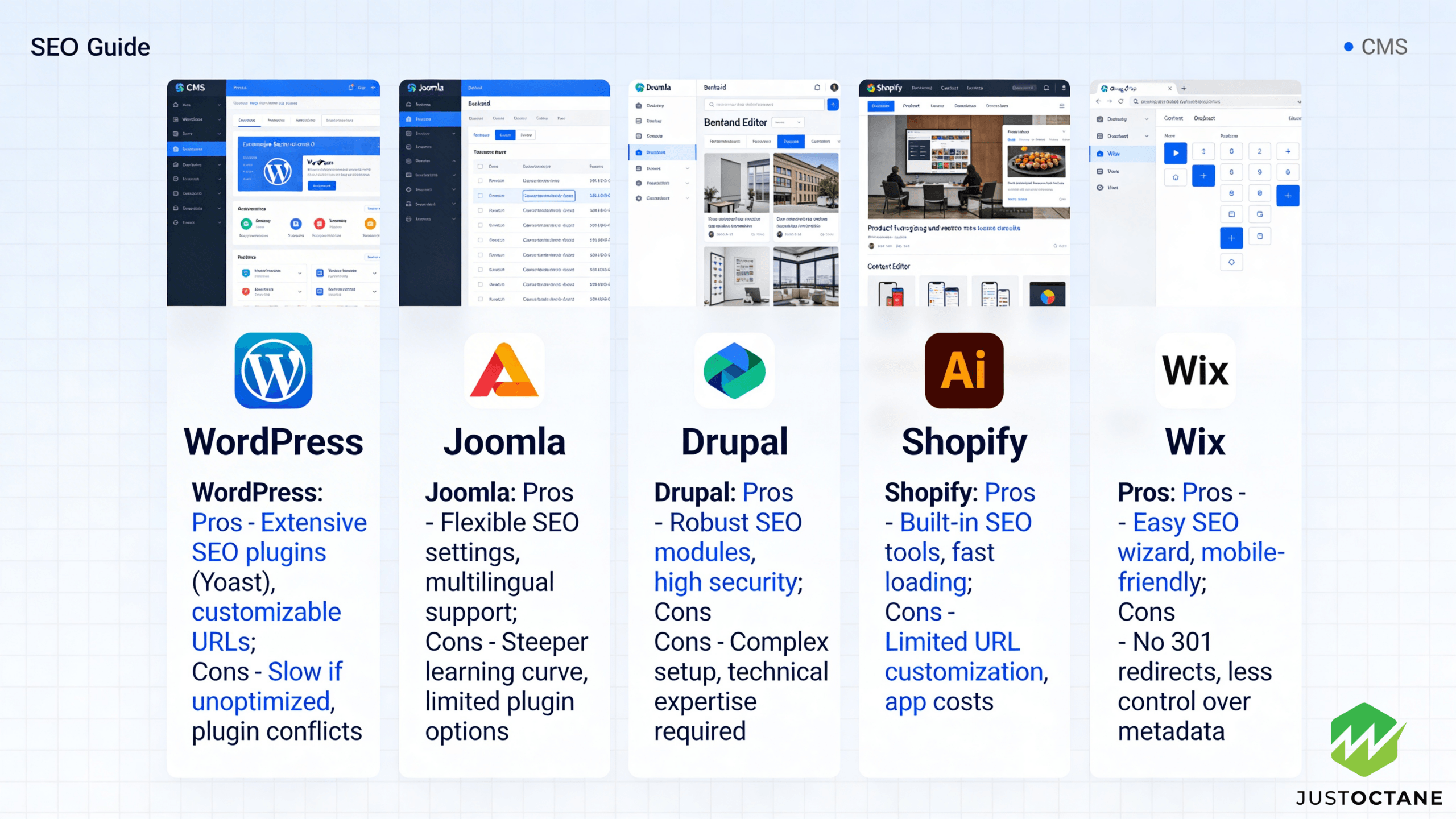
Choosing a CMS (content management system) is a long-term platform decision that affects SEO, content operations, and how quickly your team can ship pages that satisfy users and search engines. Use your data to make the call with confidence—this guide distills patterns we see across top ranking websites and shows how JustOctane helps businesses turn a CMS choice into business growth.
Contents
- 1 Definitive answer: Which CMS is best for SEO for most businesses?
- 2 15 CMS SEO features and tools that most influence ranking and traffic
- 3 A practical CMS SEO scorecard (what competitors rarely quantify)
- 4 CMS SEO QA: the pre-launch checks that prevent ranking drops
- 5 WordPress CMS for SEO control, plugins, and content scaling
- 6 HubSpot CMS for marketing, lead generation, and business growth
- 7 Headless CMS platforms: Contentstack and Storyblok for performance and flexibility
- 8 Drupal CMS for technical SEO, governance, and large websites
- 9 Wix CMS for a friendly interface, fast publishing, and small-site SEO
- 10 Other SEO-friendly CMS platforms to consider
- 11 SEO workflow: keywords, meta, metadata, URLs, and content optimization
- 12 AI-ready content operations (without losing what makes you rank)
- 13 CMS migrations: how to protect your rankings
- 14 How JustOctane helps you pick and optimize the right CMS
- 15 5 Research-Backed SEO Questions & Answers
Definitive answer: Which CMS is best for SEO for most businesses?
For most websites, WordPress is still the best all-around CMS for SEO because it offers deep control over templates, technical settings, and plugins—without forcing you into a rigid website builder. If you want the best CMS SEO foundation, prioritize clean technical implementation and a workflow your team will actually follow. Google explains that it generates title links from on-page signals like your <title> element and <h1> heading, so any CMS must let you control those elements cleanly.
That said, “best” depends on your needs. HubSpot CMS can be a great option when marketing and lead generation are the priority. A headless CMS can be best when performance and flexibility matter. Drupal is often best for large organizations that need governance and a powerful management system. Wix can be best when you need a user friendly interface and fast publishing with minimal technical overhead.
15 CMS SEO features and tools that most influence ranking and traffic
A good CMS makes it easier to execute a repeatable CMS SEO program and SEO strategy. In our audits, these are the SEO features most correlated with ranking websites (the SEO advantage shows up as compounding organic traffic): editable title tags and meta descriptions; clean URLs and redirects; indexation controls (noindex and canonical tags); XML sitemap management; structured data support; internal links; media handling and alt text; mobile responsiveness; page speed and Core Web Vitals; secure hosting and updates; flexible templates; scalable content management; editorial workflows for many users; integrations with SEO tools; and the ability to customize without breaking the site.
To ground this in how search works, the classic research that introduced link-based ranking (PageRank) shows why authority compounds as content earns references. Your CMS doesn’t replace link earning, but it can help or hurt the technical foundation that search engine crawlers rely on.
A practical CMS SEO scorecard (what competitors rarely quantify)
Most platform comparisons stop at feature checklists. For businesses looking for a defensible decision, build a scorecard and test on a staging site: (1) technical SEO controls (templates, metadata, canonicals), (2) publishing velocity for pages, (3) user experience and accessibility, (4) performance budgets for mobile, (5) integrations (analytics, SEO tools, and automation), and (6) governance for large teams. This turns “which CMS is best” into a measurable choice based on how search engines and users experience your site.
CMS SEO QA: the pre-launch checks that prevent ranking drops
Most ranking losses after a redesign are avoidable. Before you publish a new template, theme, or platform change, run a quick QA pass that mirrors how search engines and users interact with the site:
- Confirm every key template outputs unique title tags, meta descriptions, and clean URLs.
- Verify indexation signals: canonical tags, noindex rules for thin pages, and robots directives for staging.
- Check XML sitemap generation, internal links, and redirect mappings for changed pages.
- Validate structured data and confirm the page renders critical content without requiring client-side scripts.
- Test performance on mobile (page speed and Core Web Vitals) and fix the biggest bottlenecks.
JustOctane routinely turns this into a lightweight “SEO acceptance test” for your CMS so your team can ship faster without breaking technical SEO.
WordPress CMS for SEO control, plugins, and content scaling
WordPress is open source, widely supported, and flexible. In practice, WordPress best fits teams that need speed plus control: you can choose lightweight themes, extend features with SEO plugins like Yoast SEO, and keep technical SEO clean with the right hosting. With the right setup, it can deliver great SEO.
If you’re comparing hosted options, it’s common to evaluate WordPress.com (WordPress dot com) vs WordPress.org hosting. The right choice depends on how much control you need over caching, code, and performance.
Potential downsides: plugin bloat can hurt performance, and inconsistent settings can create messy meta and duplicate URLs. Ongoing optimization and clear management prevent that.
HubSpot CMS for marketing, lead generation, and business growth
HubSpot CMS is built for marketing teams that want content, forms, CRM, and automation in one platform. For a lead generation business growth plan, that setup can shorten the time from organic traffic to pipeline. In other words, HubSpot CMS supports SEO lead generation and the reporting leadership cares about.
It’s a strong option for businesses looking to unify content creation, landing pages, and nurture flows. The tradeoff is flexibility: depending on your needs, you may hit a potential challenge around deep customization or advanced structured data.
Headless CMS platforms: Contentstack and Storyblok for performance and flexibility
A headless CMS separates content from the front-end, which can unlock better performance and a better user experience—especially on mobile. Headless CMS options like Contentstack and Storyblok are popular when you need flexibility to publish to multiple channels while keeping a fast website.
For SEO, headless CMS success is implementation: rendering strategy, routing, and ensuring every page outputs consistent meta tags, canonical tags, and structured data so search engine bots can crawl efficiently.
Drupal CMS for technical SEO, governance, and large websites
Drupal is a strong platform when you need complex content types, strict workflows, and deep control. It offers robust management, permissions, and customization—useful for large websites with many users and pages. It can support advanced technical SEO, but typically needs experienced developers.
Wix CMS for a friendly interface, fast publishing, and small-site SEO
Wix can be a good CMS for smaller websites that need to launch quickly. If you value a friendly interface and user friendly publishing over deep developer control, Wix offers built-in tools for basics like meta descriptions, clean URLs, and mobile-friendly design.
Other SEO-friendly CMS platforms to consider
Depending on your business model, other options can be a better fit: Shopify for commerce; Webflow for design-led teams; Squarespace for simple sites; Joomla as an open source alternative; Magento / Adobe Commerce for complex ecommerce; and RebelMouse for publishers. Each platform offers different SEO capabilities, so the best CMS is the one aligned to your resources, goals, and the search engines you depend on.
SEO workflow: keywords, meta, metadata, URLs, and content optimization
Even the best CMS won’t rank by itself. Your workflow should connect keyword research to content briefs, publishing, and measurement. That means targeting keywords per page, writing metadata that earns clicks, improving content quality, and updating older pages that have dropped in search.
To make this concrete, look at ranking websites using WordPress and other platforms: websites using a consistent template system, clean URLs, and strong internal links tend to create better engagement and crawl efficiency for search engines.
AI-ready content operations (without losing what makes you rank)
We’re in a marketing new stage where content velocity is easier than ever—yet trust is harder to earn. A new stage approach is to treat AI as a workflow accelerator, not a replacement for expertise. In practice, the stage approach combines strong editorial standards with automation: that approach combines AI, and it combines AI efficiency with human review. AI efficiency human writers can draft quickly, but efficiency human authenticity is what earns links and keeps a brand credible. Human authenticity drive trust, authenticity drive growth, and you can drive growth learn faster when you connect updates to closed loop marketing new reporting.
CMS migrations: how to protect your rankings
Switching platforms is where many businesses lose organic traffic. A successful migration maps every important URL, preserves internal links, validates redirects, and confirms that templates output the right meta, structured data, and page experience signals at launch.
How JustOctane helps you pick and optimize the right CMS
JustOctane helps teams choose the right platform, implement technical SEO cleanly, and build a content engine that turns search traffic into leads. If you want a clear recommendation based on your competitors, your current site data, and realistic resourcing, ask JustOctane for a CMS SEO audit and roadmap.
5 Research-Backed SEO Questions & Answers
1. How does page speed affect SEO?
Page speed affects SEO in two main ways: it is a direct ranking signal (via Google’s Core Web Vitals) and it strongly influences user behavior (bounce rate, engagement), which in turn affects organic performance. Google’s Core Web Vitals—Largest Contentful Paint (LCP), Interaction to Next Paint / First Input Delay (INP/FID), and Cumulative Layout Shift (CLS)—are used as ranking signals for page experience. Independent analyses (e.g., CrUX/HTTP Archive summaries and industry studies) consistently show that faster pages have better engagement and are more likely to retain users and convert.
Practical takeaway: measure LCP, INP/FID and CLS (use CrUX, Lighthouse, PageSpeed Insights), prioritize server response time, image optimization, critical rendering path, and avoid heavy main-thread work. While Core Web Vitals are important, content relevance and authority remain primary ranking factors.
Sources: Google Search Central – Core Web Vitals & page experience; CrUX / HTTP Archive analyses; industry performance studies.
2. Does HTTPS improve rankings?
Yes—HTTPS is a confirmed lightweight ranking signal. Google announced in 2014 that using HTTPS can give a slight rankings boost, and it continues to recommend serving sites over HTTPS for security, user trust, and data integrity. Beyond ranking, HTTPS preserves referral data in analytics and is required for many modern browser and platform features (e.g., service workers, secure cookies).
Practical takeaway: migrate to HTTPS (TLS) if you haven’t. Follow best practices (301 redirects, update internal links, fix mixed content) and monitor search console and analytics for traffic changes during migration.
Source: Google Webmaster Central announcement and ongoing Google Search Central guidance on HTTPS.
3. Which matters more: backlinks or content?
Both are essential and complementary. Large-scale correlation studies (e.g., Ahrefs, Backlinko analyses of millions of SERPs) repeatedly find backlinks among the strongest correlates with higher rankings, but those studies also show that content relevance, depth and quality are fundamental—backlinks amplify and help pages rank, but without useful, relevant content a page is unlikely to rank well or sustain traffic.
Practical takeaway: prioritize producing authoritative, well-structured content that fully satisfies user intent, and combine that with a sustainable strategy to earn high-quality backlinks (relevant sites, editorial links, citations). Avoid low-quality link schemes; relevance and authority matter more than raw link counts.
Sources: Backlinko & Ahrefs SERP analyses; Google’s guidance on links and content quality.
4. How important is mobile-first indexing?
Mobile-first indexing is now the default for most sites: Google primarily uses the mobile version of a page for indexing and ranking. This means the content, structured data, meta tags and quality signals present on your mobile pages must match the desktop version. Sites that omit content or have poor mobile UX risk indexation and ranking issues.
Practical takeaway: ensure mobile content parity (same textual content and structured data), optimize for mobile speed and usability (touch targets, legible fonts), and test with Google’s Mobile-Friendly Test and Search Console mobile reports.
Source: Google Search Central – mobile-first indexing documentation and announcements.
5. How does user intent affect keyword targeting?
Matching user intent is critical. Since Google introduced RankBrain and expanded semantic understanding, the search engine focuses on fulfilling the searcher’s intent (informational, navigational, transactional, commercial investigation) rather than exact keyword matches. Research and SERP studies show that pages that align content format and depth with the dominant intent for a query rank far better than pages that only keyword-stuff.
Practical takeaway: analyze the current SERP for a target keyword to determine intent and content format (how-to, listicle, product page, long-form guide), then create content that satisfies that intent and covers related subtopics and questions. Use natural language, semantic/LSI keywords, and structured data where appropriate to signal relevance.
Sources: Google statements about RankBrain/semantic matching; SERP intent studies from industry analysts (e.g., Backlinko, Ahrefs).